

Omarchy Arch Linux Setup for Fast Developer Workflows
Transform a fresh Arch Linux installation into a complete, developer-ready environment with Omarchy and eliminate hours of manual configuration.
14k+
GitHub stars
2 min
Full setup
100%
Open source

- Key Features
Powerful Features Built for Efficiency
Discover the essential features that make Omarchy an efficient, reliable, and streamlined solution for developers and advanced Linux users seeking productivity.
One-Command Setup
Omarchy simplifies the entire installation journey by turning a clean Arch Linux system into a fully configured environment with a single command. This approach removes repetitive manual steps, reduces setup time significantly, and allows users to move directly into a productive workflow without unnecessary delays.
Modern Desktop Environment
Built around Hyprland and Wayland, the interface delivers a smooth, responsive, and visually refined experience. It combines performance with modern design principles, offering a distraction-free workspace that enhances both usability and system efficiency.
Developer-Ready Tools
Omarchy includes a thoughtfully selected set of development tools and configurations, eliminating the need for manual installations. From terminal setups to coding environments, everything is optimized to support real-world development workflows, enabling users to start building immediately.
Opinionated Configuration
The system follows a carefully curated configuration model where key decisions are already made for the user. This ensures consistency, reduces complexity, and delivers a polished environment that reflects best practices without overwhelming users with endless customization choices.
System Snapshots & Recovery
With Btrfs integration, Omarchy provides built-in snapshot and rollback capabilities. This allows users to recover their system quickly in case of issues, adding a strong layer of reliability and protecting against unexpected changes or failures.
Modular Customization
Omarchy uses a layered configuration system that separates base settings, themes, and user preferences. This structure makes it easier to personalize the environment while maintaining stability, giving users flexibility without breaking the core setup.

- About Omarchy
What is Omarchy?
Omarchy is a purpose-built automation framework that transforms the traditionally complex setup of Arch Linux into a fast, structured, and reliable process. Instead of manually configuring every component—from the desktop environment to essential developer tools—Omarchy applies a carefully curated system configuration in a single streamlined workflow. This approach removes friction, reduces setup time, and ensures consistency across installations.
Designed with modern developers in mind, Omarchy delivers a fully prepared environment featuring a clean interface, optimized performance, and pre-integrated tools that support real-world productivity. Its opinionated configuration prioritizes efficiency and usability, allowing users to move directly from installation to meaningful work. The result is a polished, ready-to-use system that replaces hours of manual effort with a setup completed in minutes.
- How It Works
From Bare System to Fully Configured in Minutes
Omarchy simplifies the traditionally complex Arch Linux setup process into a clear, structured workflow. Each step is designed to move you from a minimal installation to a fully optimized, developer-ready system without unnecessary manual effort.
Install Arch Linux
Begin with a clean and minimal Arch Linux installation to ensure maximum compatibility and performance. This base system provides the foundation on which Omarchy builds a complete and refined environment.
Run Omarchy Script
Execute the Omarchy installation script using a single command. This initiates the automated process, connecting all required components and preparing your system for a full configuration setup.
Automatic Setup
Omarchy handles the installation of essential packages, system configurations, and user interface enhancements. It ensures that everything is optimized, consistent, and aligned with a modern development workflow.
Start Working
Once the setup is complete, your system is ready for immediate use. You can begin coding, managing projects, and working efficiently within a fully configured and distraction-free environment.
- Showcase
Workspaces That Feel Like Home
Adaptive tiling that responds to your workflow, smooth animations that add subtle motion, and a carefully crafted color palette inspired by the calm depth of a forest at dusk—creating an environment that is both functional and visually grounded.

- Benefits
Why Choose Omarchy?
Omarchy is designed to simplify complexity while delivering performance, consistency, and a modern development experience. Each benefit below highlights how it enhances your workflow without unnecessary overhead.
Continuous Updates and Evolution
Stay aligned with the latest improvements through an actively maintained setup that evolves with new tools, updates, and performance enhancements.
Consistent System Environment
Achieve a uniform and reliable configuration across systems using predefined settings that reduce inconsistencies and ensure predictable performance every time.
Development-Focused Workflow
Work in an environment tailored for productivity, where essential tools and configurations are ready, allowing you to concentrate on building and shipping projects.
Lightweight Performance
Experience a fast and efficient system powered by minimal components and optimized configurations, ensuring smooth operation even on limited hardware resources.
Modern User Interface
Enjoy a clean, visually refined desktop built on modern technologies, delivering both aesthetic appeal and functional efficiency for daily use.
Faster Setup Time
Eliminate lengthy installation processes with a streamlined, automated setup that transforms a fresh system into a fully configured environment within minutes.
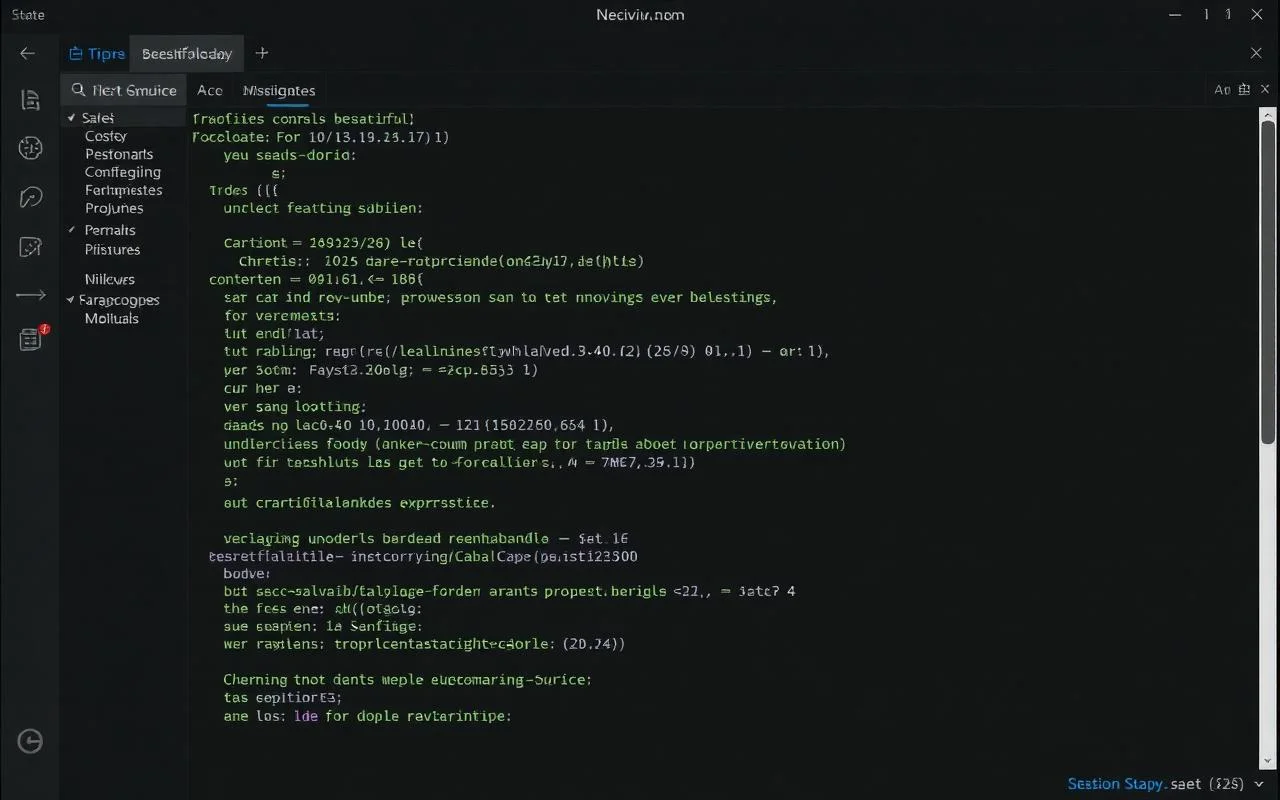
- Editor
Neovim, finally batteries-included
Omarchy delivers a fully configured Neovim experience powered by LazyVim, eliminating the need for manual setup. From the moment your system is ready, you get a modern, high-performance editor equipped with everything required for serious development work.
Carefully integrated tools, intelligent defaults, and a polished workflow ensure that you spend less time configuring and more time building.
- 10+ language servers preinstalled
- AI inline completions via Copilot or Codeium
- Treesitter, Telescope, lazygit baked in
- Stack
The full stack, demystified
No mystery binaries. Everything Omarchy installs, why it’s there, and how to swap it.
Kernel l
inux 6.x (LTS optional)
Compositor
Hyprland
Terminal
Alacritty + tmux
Editor
Neovim 0.10 + LazyVim
Package mgr
pacman + paru (AUR)
Shell
zsh + starship + zoxide
- Keybindings
Muscle Memory, Earned in a Day
Master your workflow faster with intuitive, consistent shortcuts designed for speed and focus. With Omarchy, everyday actions become second nature—no steep learning curve, just immediate productivity.
- Install
Three steps. Twelve minutes?
Get from a bare system to a fully configured environment faster than ever with Omarchy. No complex setup, no endless tweaking—just a streamlined path to productivity.
Install vanilla Arch
Use the official archinstall script. ~10 minutes.
Run the Omarchy installer
One curl command. Pulls and applies the full configuration.
Reboot, sign in, ship.
You're greeted with Hyprland, Waybar, and a tuned shell.
					$ install.sh
# 1. fresh arch
archinstall

# 2. omarchy
curl -fsSL https://omarchy.org/install | bash

# 3. enjoy.
- Use Cases
Who is Omarchy For?
Designed for users who prioritize speed, efficiency, and a clean, distraction-free Linux environment, Omarchy is built to remove setup friction and deliver a polished system from day one.
Developers Seeking a Ready-to-Code Environment
Omarchy provides a fully prepared development setup with essential tools, terminal configurations, and workflows already in place. This allows developers to skip repetitive setup tasks and start building, testing, and deploying projects immediately without interruptions.
Arch Linux Users Who Want to Skip Manual Setup
For users familiar with Arch Linux, Omarchy removes the time-consuming process of configuring the system from scratch. It automates installations, applies optimized defaults, and ensures a consistent environment while preserving the power and flexibility Arch is known for.
Power Users Looking for a Modern, Minimal Desktop
Omarchy delivers a clean and high-performance desktop powered by modern technologies. It focuses on minimal design, fast navigation, and efficient resource usage, making it ideal for users who want both aesthetics and speed in their daily workflow.
Professionals Who Prefer Opinionated, Optimized Workflows
Omarchy is built around carefully selected configurations that prioritize productivity and consistency. Professionals who value a streamlined and distraction-free environment can rely on its opinionated setup to maintain focus and efficiency across projects.

- Focus
Less friction. More flow
This statement highlights Omarchy’s focus on speed and focus. Animations are kept extremely fast, under 200 milliseconds, ensuring a smooth, distraction-free experience. Notifications follow do-not-disturb settings, preventing interruptions. Overall, the system minimizes friction, allowing users to concentrate deeply on their work without unnecessary delays, visual clutter, or constant disruptions.
14,300+
GitHub stars
8 sec
Cold boot time
1.2 GB
Install footprint
60+
Contributors

- Terminal
A terminal you'll actually open
GPU-accelerated Alacritty, JetBrains Mono ligatures, and a starship prompt that surfaces context without shouting.
					~/projects/omarchy
› git status
on branch main · clean ✓
- Comparison
Vanilla Arch vs Omarchy
Choosing between a raw Arch Linux installation and an automated environment like Omarchy comes down to time, control, and workflow preferences. Here’s a clear side-by-side breakdown:
- Testimonials
What people are Saying
Trusted by developers, engineering teams, and modern builders worldwide for fast setup, consistent environments, streamlined workflows, and reliable, production-ready Linux experiences.
“Switched my entire team to Omarchy. Onboarding new engineers takes a coffee break, not a day.”
Marcus Chen
CTO, Quantflow
“Finally, a Linux setup that doesn’t make me feel like I’m fighting the OS. The defaults are immaculate.”
Aria Patel
Senior SWE
“I was a macOS lifer for 12 years. Omarchy is the first thing that made me genuinely consider switching.”
Diego Ruiz
Indie hacker
- FAQ
Common Questions
Find clear and concise answers to the most frequently asked questions about setup, features, usage, and overall experience with Omarchy.
What is Omarchy?
Omarchy is an automation framework that transforms a fresh Arch Linux installation into a fully configured, developer-ready environment.
Is Omarchy a Linux distribution?
No, Omarchy is not a standalone distribution. It is a setup layer built on top of Arch Linux.
Who created Omarchy?
Omarchy was introduced by Basecamp’s founder to simplify and standardize the Arch Linux experience.
What makes Omarchy different from Vanilla Arch?
Omarchy automates configuration, provides a consistent design, and reduces setup time significantly compared to manual Arch installations.
Is Omarchy suitable for beginners?
Omarchy is easier than manual Arch setup, but basic familiarity with Linux is still recommended.
Does Omarchy support customization?
Yes, while it is opinionated, users can modify configurations through its modular structure.
What desktop environment does Omarchy use?
Omarchy typically uses a modern Wayland-based setup with a tiling window manager for performance and efficiency.
Can I use Omarchy for daily work?
Yes, it is designed to be stable and productive enough for everyday development and general use.
Is Omarchy free to use?
Yes, Omarchy is open-source and freely available.
Where can I get Omarchy?
You can access Omarchy from its official GitHub repository and follow the setup instructions provided there.
How long does it take to install Omarchy?
A complete setup can be achieved in approximately 10–15 minutes after installing Arch Linux.
Do I need a fresh Arch installation?
Yes, Omarchy works best when applied to a clean Arch Linux setup.
How do updates work in Omarchy?
Updates are handled through a simple workflow, typically involving pulling the latest configuration and applying changes.
Can I uninstall Omarchy?
There is no direct uninstall process; reverting requires restoring a previous system snapshot or reinstalling Arch.
Does Omarchy support system rollback?
Yes, it can integrate with Btrfs snapshots for safe rollback and recovery.
What tools come pre-installed with Omarchy?
Omarchy includes essential developer tools, terminal configurations, and productivity enhancements out of the box.
Is Omarchy secure?
Security depends on regular updates and best practices, but the framework itself follows standard Linux security principles.
Can I use Omarchy on laptops and desktops?
Yes, it is compatible with both, provided the hardware supports Arch Linux and Wayland.
Does Omarchy work offline after installation?
Yes, once installed, most features work offline, though updates and package installations require internet access.
Is Omarchy actively maintained?
Yes, it receives updates and improvements through its GitHub repository.